
Introduction
The vast majority of India’s estimated 38,000+ maktabs and madrasas still manage their administration the same way they did thirty years ago: a paper attendance register, a handwritten Quran progress notebook, a fee collection ledger, and a teacher register — all maintained by hand, stored in a drawer or shelf, and consulted when needed.
This is not a failure of the maktab sector. Paper registers work. They require no electricity, no internet, no technical skills, and no monthly subscription. But they have real costs: lost data when a register is damaged or misplaced, no parent visibility into their child’s progress, no ability to generate reports for the mosque committee, and significant time spent maintaining multiple separate records that could be consolidated.
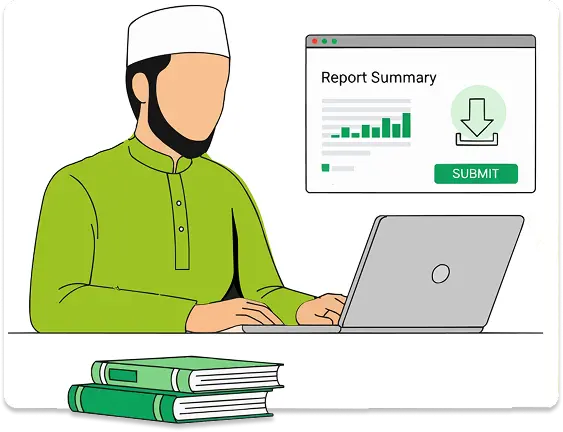
Digital maktab management does not mean replacing the teacher or the teacher-student relationship with technology. It means replacing the paper register with something that does the same job better — faster, more reliably, with better parent communication, and with useful information available to administrators who need it.
This article is a practical guide to making that transition.
Why Most Indian Maktabs Still Use Paper
Understanding why paper persists is the starting point for successful digital transition. The reasons are practical, not irrational:
| Reason | Reality |
| No cost | Paper register costs ₹50. Digital tools often cost more. |
| No internet needed | Many maktabs are in low-connectivity areas or teachers use basic phones. |
| No training needed | Every teacher can write in a register. Not every teacher can use an app. |
| It works | A well-maintained paper register genuinely does track what it needs to. |
| No dependency risk | Paper doesn’t go offline, crash, or require a subscription renewal. |
A digital transition plan that doesn’t take these factors seriously will fail. The tool chosen must genuinely offer advantages that outweigh these real practical benefits of paper — lower long-term cost, better information, time saving — while minimising the barriers (complexity, connectivity, training requirement).
What Paperless Actually Means for a Maktab
“Paperless” in the maktab context does not mean eliminating all paper immediately or running a fully digital operation like a corporate office. It means:
Practical definition: Core administrative records — attendance, Quran progress, fees, teacher management — are maintained digitally rather than on paper, with paper used only where genuinely necessary.
What changes:
- The teacher marks attendance on a phone instead of in a book
- Quran progress is updated in an app instead of a notebook
- Fees are recorded digitally with automated payment reminders
- Parents receive progress updates by WhatsApp or app notification instead of handwritten report cards
What stays the same:
- The teacher still teaches the same way
- The student still sits in front of the teacher
- The mosque committee still meets and makes decisions
- The relationship between institution and community is unchanged
The Five Core Registers Every Maktab Runs
| Register | Purpose | Typical Form |
| Student attendance | Daily presence/absence for every student | Paper register — one row per student, one column per day |
| Quran progress | Tracks Sabak, Sabak Para, Dhor, Manzil for each student | Paper notebook — one page per student |
| Fee collection | Fees paid, outstanding, exempted by student | Paper ledger or exercise book |
| Teacher attendance | Teacher presence, substitutes, late arrivals | Paper register |
| Examination registration | Student list with level and details for annual exam | Paper list submitted to board |
These five systems are where the maktab’s administrative data lives. Digitising them — even partially — is where the gains come from.
Which Register to Digitise First
Not everything needs to be digitised at once. Start with the register that creates the most pain and offers the most visible benefit.
Recommended order:
1. Student attendance — Highest frequency task (daily), easiest to digitise (mark present/absent per student), highest parent visibility benefit (automated absence notifications), fastest to see the value of going digital.
2. Quran progress — Most distinctive need of Islamic education; hardest to replicate in generic tools; highest value for parents who want to know where their child is in the Quran; see How Indian Maktabs Track Quran Progress.
3. Fee collection — Significant time and awkwardness in manual collection; digital records prevent disputes; UPI integration eliminates cash handling.
4. Teacher attendance — Important for governance but lower daily urgency than student attendance.
5. Examination registration — Done annually; digital student records make this significantly faster.
Choosing the Right Tool
The tool you choose will determine whether the transition succeeds or fails. Evaluate any tool against these criteria:
| Criterion | Why It Matters |
| Mobile-first | Teachers use phones, not computers. Desktop-only tools will not be used daily. |
| Works offline or on slow connection | Many maktabs have unreliable internet. Tools that require constant connectivity will fail in the field. |
| Islamic education specific | Generic school software doesn’t know what Sabak Para means. Teachers will not adapt to it. |
| Under ₹1,000/month | Most maktabs operate on tight budgets. Expensive tools will not survive the annual budget review. |
| Simple enough for non-technical users | The teacher is an Islamic educator, not a software user. Complexity kills adoption. |
| Parent communication built in | Automated parent notifications are one of the highest-value features — should not require a separate tool. |
| No IT support required | The mosque committee cannot hire a system administrator. Cloud-based, self-maintaining. |
For a full comparison of tools available for Indian maktabs, see Best Maktab Management Software for India in 2026.
Getting Buy-In from the Mosque Committee and Teachers
The technology is the easy part. The human part — convincing a committee that has run on paper for twenty years, and a teacher who learned to teach with a register — is harder.
With the Mosque Committee
Frame the benefit in terms they care about:
- Better accountability: “We will know exactly how many students attended each day and can show donors a proper record.”
- Parent engagement: “Parents will get automatic WhatsApp updates when their child is absent — they won’t have to call to find out.”
- Examination readiness: “We’ll be able to generate the student list for the Deeniyat exam in five minutes instead of two hours.”
- No lost records: “We won’t lose three years of attendance records if a register goes missing.”
With the Teacher
Acknowledge the change honestly and address concerns directly:
- “This will not change how you teach — it changes only how you record.”
- “Once you have learned the app, marking attendance will take less time than writing in the register.”
- “Parents will see what you’re doing for their children — it will be appreciated.”
- Provide hands-on training with the actual app before asking them to use it independently.
- Start with just attendance for the first two weeks — do not ask the teacher to learn everything at once.
The Transition: A Practical Week-by-Week Plan
| Timeframe | Action |
| Week 1 | Choose your tool; set up the account; import or enter student names |
| Week 2 | Teacher training — attendance only. Run paper register in parallel as backup. |
| Week 3–4 | Attendance fully digital. Begin entering existing Quran progress records for each student. |
| Week 5–6 | Quran progress tracking live. Send first parent notifications. |
| Week 7–8 | Fee records entered. Digital fee collection begins for new payments. |
| Month 3 | Full digital operation. Paper register retained as backup but not primary. |
| Month 6 | Review: what is working, what needs adjustment, what training gaps remain. |
Running paper in parallel for the first month is strongly recommended. This removes the fear of losing data during transition and gives the teacher confidence that the digital system is reliable before fully committing.
Common Pitfalls and How to Avoid Them
Choosing a tool that’s too complex. If the teacher needs more than 30 minutes of training to understand the daily workflow, the tool is too complex. Simplicity is not a compromise — it is the requirement.
Trying to migrate everything at once. Attempting to digitise all five registers simultaneously overwhelms teachers and administrators. Follow the phased plan above.
No champion in the mosque committee. Without an enthusiastic advocate on the committee who understands the benefits and keeps momentum going, the transition stalls after the initial enthusiasm fades.
Skipping parent communication setup. Parent notifications are often the feature that generates the most immediate goodwill and buy-in from families. Skipping this leaves the most visible benefit on the table.
Abandoning paper too fast. Keeping paper backup for at least the first two months removes the catastrophic risk of data loss during transition.
What Paperless Looks Like After Six Months
A maktab that has successfully gone digital after six months looks like this:
- The teacher marks attendance on a phone in 90 seconds at the start of each session
- Parents with absent children receive a WhatsApp notification by the time the session starts
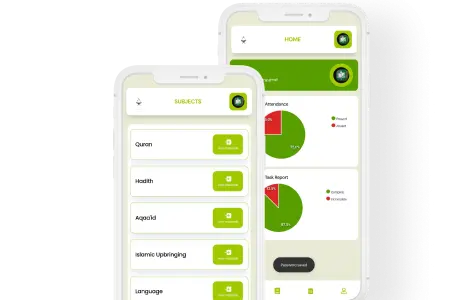
- The mosque committee can see a dashboard showing total attendance, fee collection, and exam registration status without asking the teacher for a report
- When examination season arrives, the student list with names, levels, and Quran positions is generated in one click
- The teacher can show a parent exactly where their child is in the Quran — surah, ayah, Dhor position — in the same conversation
This is not a transformation of Islamic education. The teacher is still the teacher. The Quran is still the Quran. The community is still the community. But the administration that supports all of it is faster, more reliable, and more transparent.
Frequently Asked Questions
Q: What if our maktab’s internet connection is unreliable?
Choose a tool that works offline or with minimal connectivity — many purpose-built maktab apps cache data locally and sync when connection is available. Test the tool specifically in your maktab’s connectivity conditions before committing.
Q: Our teacher is elderly and not comfortable with smartphones. What do we do?
Pair the teacher with a younger helper — a senior student, a committee member’s child, or a volunteer — who can handle the daily digital entry initially. Over weeks, the teacher typically becomes more comfortable. Do not let one teacher’s discomfort block a transition that benefits the whole maktab.
Q: We have 200+ students. Is a digital transition more or less difficult at that scale?
More difficult to set up initially (more student records to enter) but more valuable once running — the time savings from automated attendance and parent communication scale with student numbers. At 200+ students, the case for going digital is stronger, not weaker.
Q: What happens to our data if the software company closes down?
Before choosing a tool, check: can you export your data? A reputable provider will offer CSV or Excel export of all student records. Avoid tools with no data export function.
Q: Do parents need to install an app to receive updates?
Not necessarily — many maktab management tools send parent notifications via WhatsApp or SMS rather than requiring a separate parent app. WhatsApp-based notification has much higher adoption rates among Indian parents than app-based portals.
Conclusion
Going digital is not about technology for its own sake. It is about giving the mosque committee better information, giving teachers less administrative burden, giving parents more visibility into their child’s Islamic education, and protecting years of institutional records from the risk of a lost or damaged register. The transition is manageable for any maktab with a committed committee, a motivated teacher, and the right tool.
Ilmify is designed for exactly this transition — built for Indian maktabs, mobile-first, works on slow connections, with Sabak/Dhor/Manzil tracking built in and parent WhatsApp notifications out of the box. Start with attendance, add Quran tracking, go fully digital at your own pace. Explore Ilmify →




 Arabic
  English
  Malay
Malay  Urdu
Urdu